Once SolidConnect is set up, it will become standard practice in the design department. The daily steps typically include:
Loading, checking, and updating the Solid Edge assembly
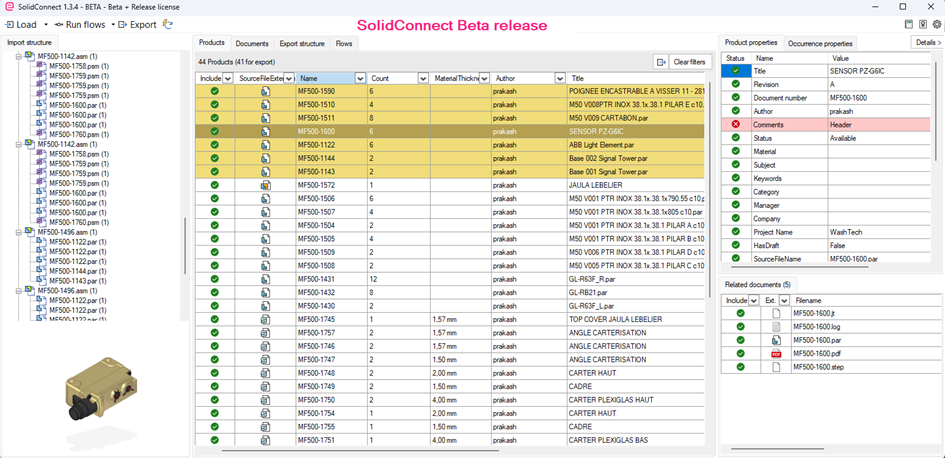
The engineer opens the assembly in SolidConnect, checks its structure and properties, and adjusts the data as needed.
Generating derived files
Based on the updated structure, the desired output files, such as STEP, DWG, and PDF files, are automatically generated.
Exporting data
The updated structure exports to XML or CSV for use in ERP, PDM, or production planning processes.
The image below shows a Solid Edge structure. The yellow lines highlight areas for improvement.