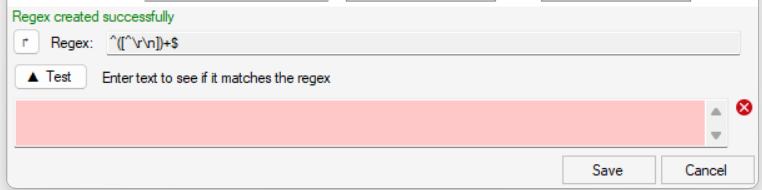
With the regex builder interface you can create simple regexes using basic modes:
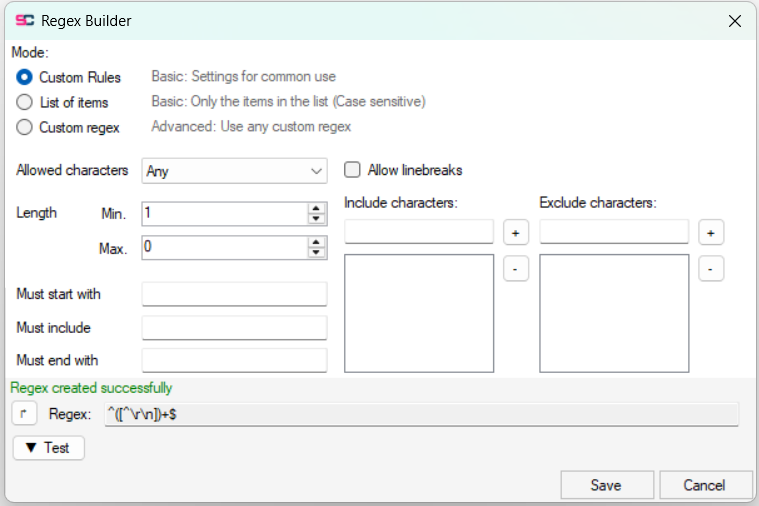
Custom Rules: Using basic rules you specify what is and isn’t allowed. You can define a minimum and maximum character length, when maximum is 0, it is ignored. You can define text your property value must either start with, contain anywhere or end with. If you wish to add multiple options you can separate them with the pipe character (|). If you need to use the pipe character itself, add a backlash \ before the pipe character. You can define whether line breaks are allowed. Allowed characters are a few options of pre-defined sets of characters that will be allowed. ASCII Basic covers the most basic characters (character code 32-127). ASCII Extended covers extra characters such as éèê and more (character code 32-255). Go to https://www.ascii-code.com/ to see which characters exactly. Filename Safe allows all characters expect those that are not allowed in filenames. Alphanumeric and space is very limited and only allows the basic letters a-z (both cases) the digits 0-9 and the space character. Additionally you can add specific characters to the include or exclude character lists. (you can add multiple characters at once in the textbox)
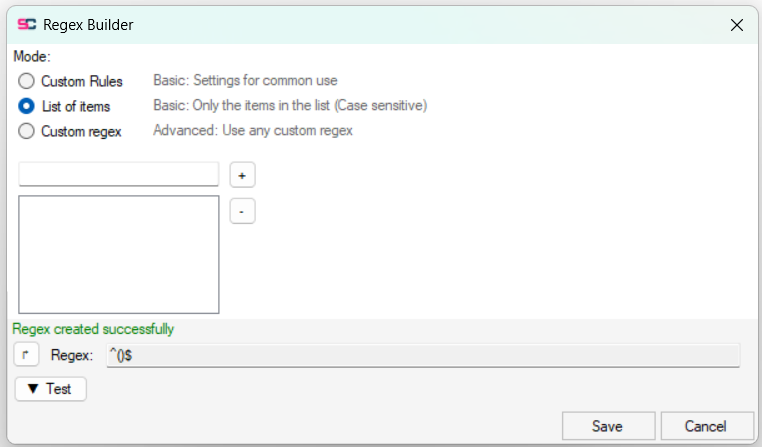
List of Items: The property’s value must exactly match one of the values (case sensitive) you define in a list.
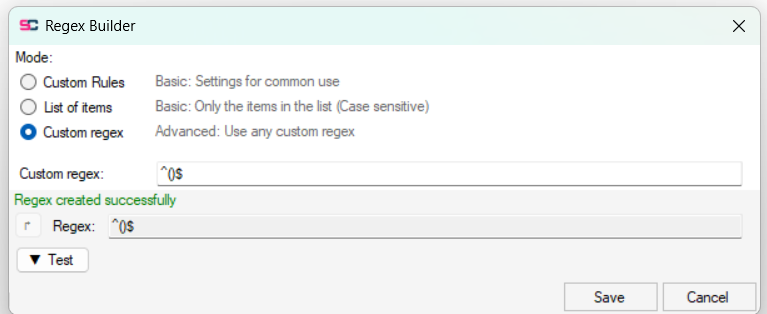
Custom Regex: If you understand regex you can write your own. Note that it must match the whole input value to pass so using ^$ is enforced.
At the bottom is a test box, in here you can test if any input passes the regex, the background will color green or red accordingly.