First setup
Before you can use DataCopy, you will need to select or create a lookup file, this file is used by the datacopy to track files that have been copied. This ensures that for example links to images only need to be copied once.

Editable properties
You will notice that not every property is editable. This is due to the following requirements:
-
A SolidEdge property setting must exist for the property.
-
The property must be defined for the file
-
If the file is the source file of a product, any product or file property will be editable
-
If the file is not the source file of a product, only file properties will be editable
-
Define Product and File properties
If you navigate to the SolidConnect Properties settings page
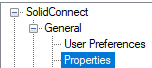
You will notice that there are both Product properties and File properties defined. And a property can exist both as a product property and a file properties.

Property Modify settings
Read SolidEdge Edit Mode for the basics.
The property modify logic in context of the DataCopy has one important difference compared to the SolidEdge edit mode context, which is that the table does not show products but files. This is because we need to be able to define logic per file, but also be able to access shared properties. This is mostly important for draft files.
The property logic will get executed both on the Product and the File.
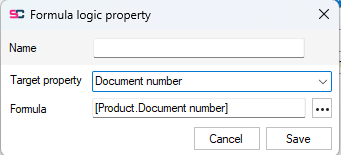
This means that the document number needs to be set in the example data prep logic as follows:
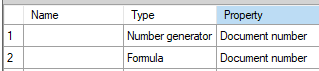
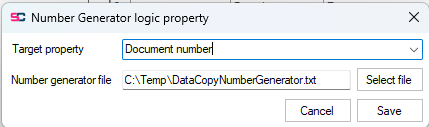
Step 1: Generator the new document number. This happens for both the product and the files, but we want the draft file to use the same document number.
Step 2: In this step we copy the Document number from the product, which will ensure the draft also uses the same document number. Note that this overwrites the unique Document number that was generated for the file.