

In SolidConnect it is possible to change the data type of a property.
📘 Instructions
-
Open a document in Solid Edge>>open SolidConnect>>Click on the Load button
-
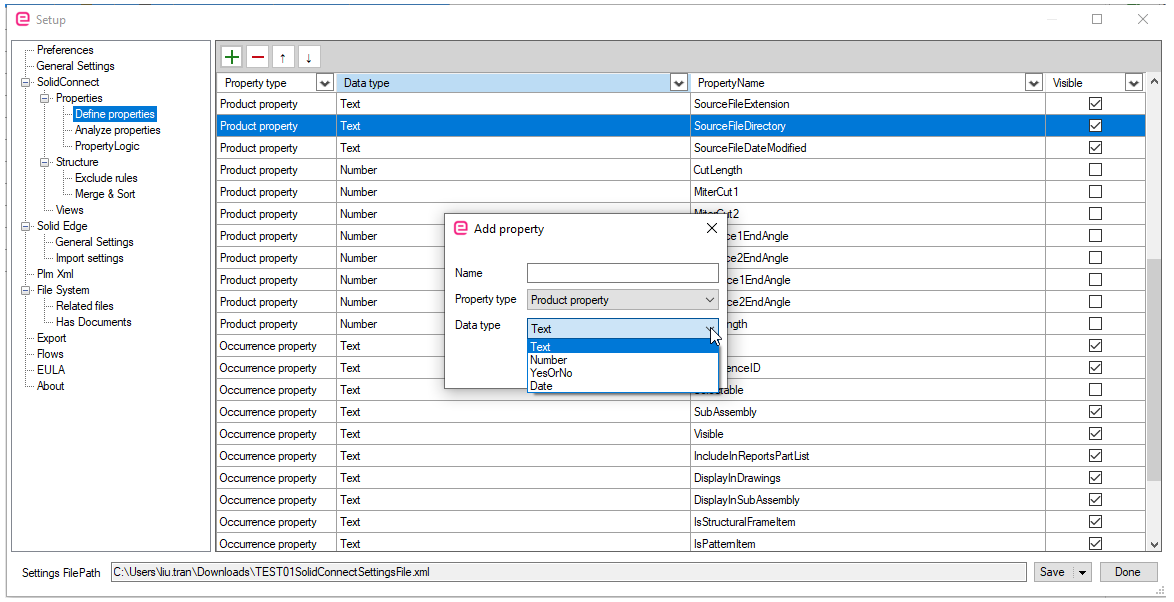
Go to the Settings>>Properties>>Define properties
-
Remove the property name with the wrong data type: select row>>click on minus button
-
Click on plus button
-
An 'Add property'-window pops up. Fill in the data with the correct data type.
Highlight important information in a panel like this one. To edit this panel's color or style, select one of the options in the menu.