

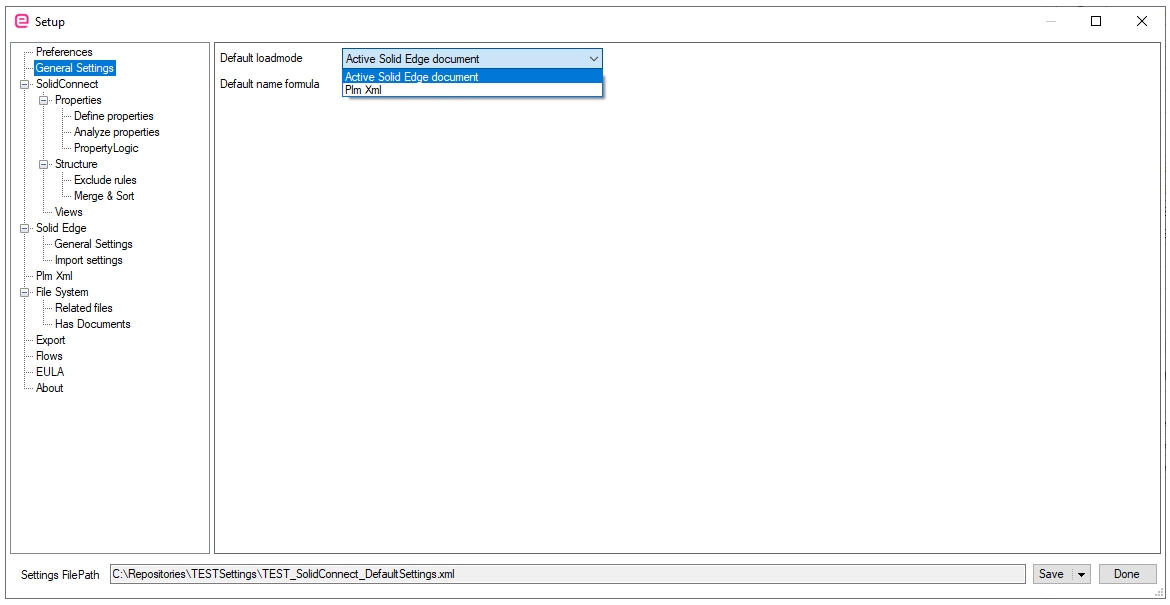
When you start SolidConnect or clicking on the load-button, the application will ‘look at’ the active Solid Edge document by default. You can change this load behavior. This will be explained below.
📘 Instructions
-
Go to the SolidConnect Settings

-
Go to General Settings>>Default loadmode
-
Choose the preferred Default loadmode
-
Click on Done
-
Highlight important information in a panel like this one. To edit this panel's color or style, select one of the options in the menu.