

In SolidConnect, when you load an active document in Solid Edge, you can choose whether you want to hide or show data of the visible parts of that active document.
📘 Instructions
-
Open an assembly in Solid Edge
-
With SolidConnect open,
-
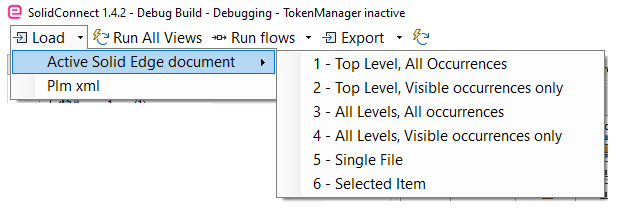
Click on the Load button>>Active Solid Edge document
-
Choose either #2 or #4 in order to get the visible parts occurrences only
-
Highlight important information in a panel like this one. To edit this panel's color or style, select one of the options in the menu.