

The property editor is a separate tool that can be used to validate and change values of file properties. The property editor can be started from the context menu in SolidConnect or can be run separately. How to add SolidConnect shortcut to SolidEdge?
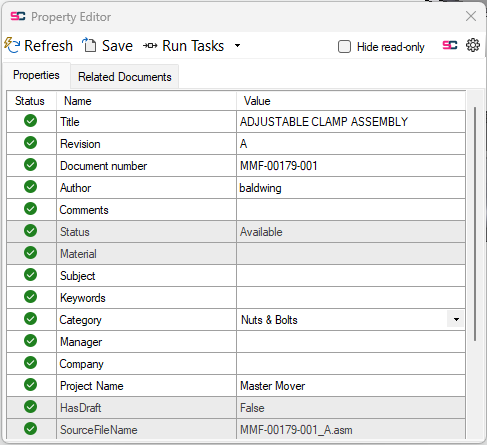
The property editor shows all properties and its values, which you can edit unless greyed out. Properties that cannot be edited can be hidden with the checkbox in the top right. When you press the save button or ctrl-S the properties will be saved to SolidEdge.
The property editor will show dropdowns for any properties with a list of values analysze rule.
Only properties that have a import setting for SolidEdge can be changed, otherwise the fields will be read only. Properties with Property Logic are also prevented from being edited the Property Editor. This automatically makes properties that are created by Solid Connect like “HasDraft” or “SourceFileName” readonly.
The property editor also has a tab for showing related documents, based on the related files setting.
You can also run the default selection of tasks (defined in your settings file) on the current file.
Only the tasks that are available for this file extension will be executed. The current file being the file that is open in the property editor at this time. By clicking the expand button on the “Run Tasks” button you can also run a singular task on the file, the list of tasks that is shown is based on the included tasks in your settings file. See task settings and tasks tab for more info about tasks.
Features
Property editor - External Data Sources (CSV)
-
You can quickly populate the Property Editor with data from an external CSV file. Click the data source button to load and view the file, then search for the correct row. Double-click the row or click Apply to import the selected data.
Suggestions

-
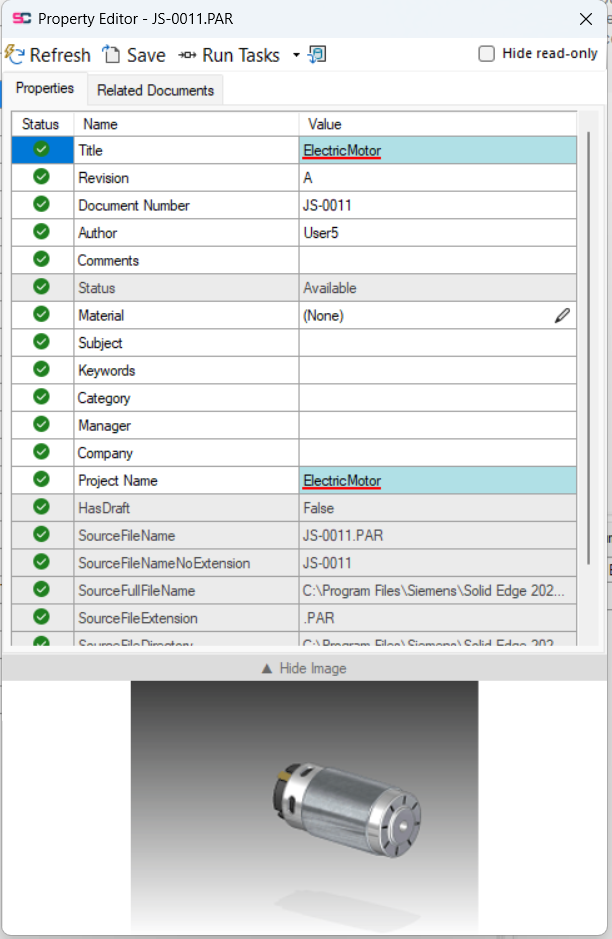
Suggestions helps you improve data directly in the Property Editor by highlighting spelling errors and offering corrections. It also provides valid options when using List of Values rules, making it faster and easier to enter accurate data.
Set Material

-
Set Material lets you change the document’s material type easily from the property editor too.