

🤔 How to add an extra property from Solid Edge
Besides the standard properties in SolidConnect, you want to be able to add your own.
🌱 Solution
In this Solution, we will show how you can add a specific property to SolidConnect.
-
Go to the SolidConnect Settings in the upper right corner of SolidConnect

-
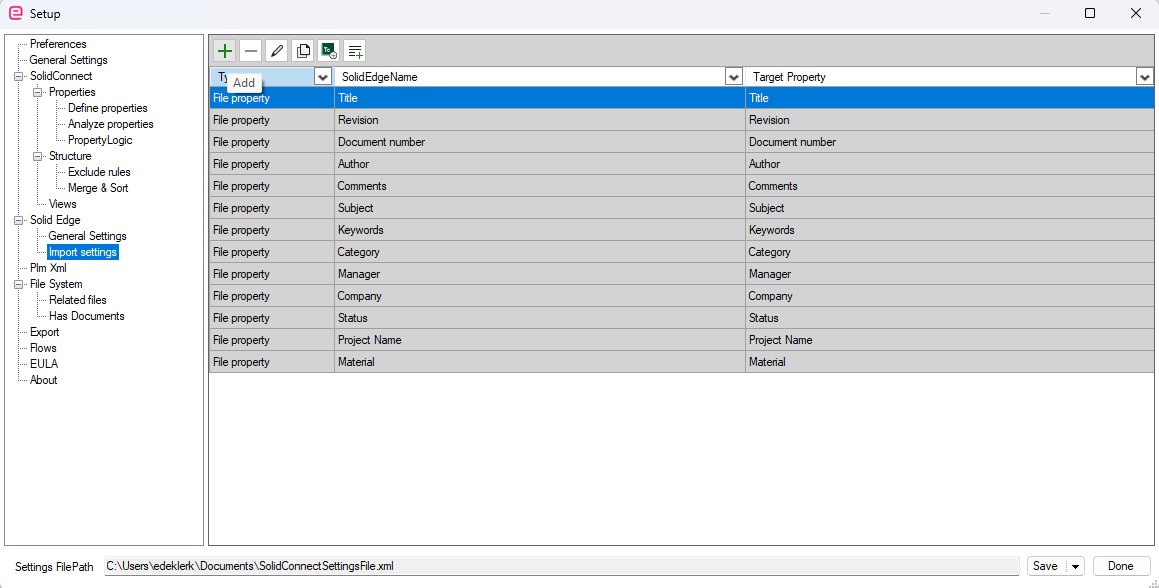
Go to SolidConnect Settings and click Import Settings under SolidEdge
-
Click Add

-
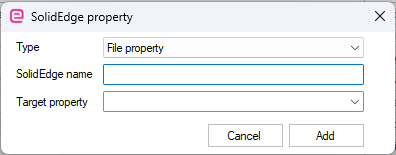
Now, you can select the type of property and ensure it is set to “File property”.
-
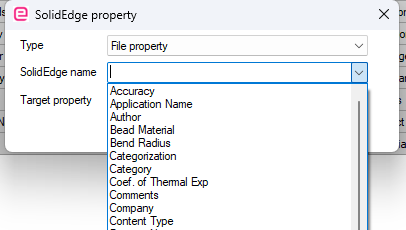
When you have a Solid Edge assembly loaded that contains the property you want to add, the property name will be listed in the Solid Edge name field.
-
In this example, we add the property Part type. You will add a property from the list that is relevant to you. The star sign after the Target Property indicates that this is a new property that will be created on Add.
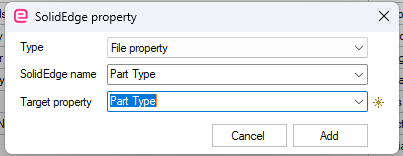
Ensure that you reload your assembly to read the newly added property from Solid Edge.