

You can use SolidConnect in order to search for related files of your products. Below you’ll find an explanation of the basics on how to do this.
📘 Instructions
-
Go to the SolidConnect Settings
-
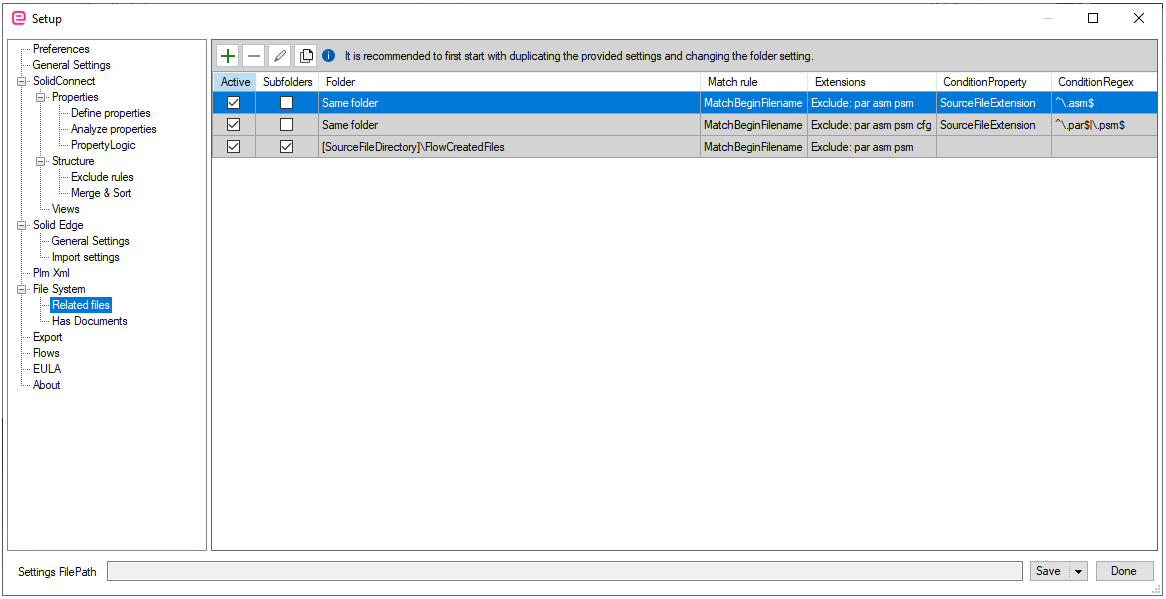
Go to File System>>Related Files
-
Notice the three greyed rows which are default predefined rules. Put a checked mark below active if you want to use the rule.
-
Otherwise, click on the plus sign if you want to create a new rule
-
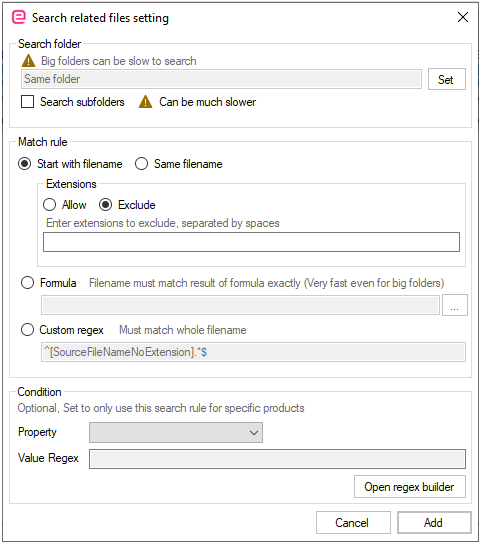
In ‘Search folder’ you specifies where to search for the file.
-
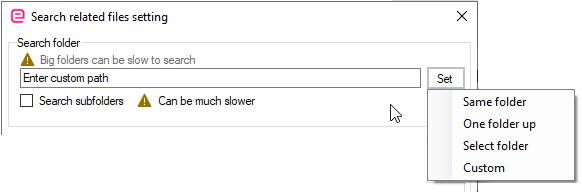
Click on Set>>click on your preferred search folder
-
The 'Match rule' defines what files are considered related.
-
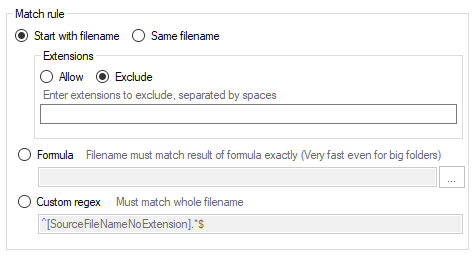
The Match rule defines what files are considered related.
-
Check on 'Same filename': all files with the exact same filename and only a different
extension are considered related files. -
Check on 'Start with filename': it allows some extra text after the filename it is searching for, so for the file ‘Grinder.asm’, the file ‘Grinder Manual.pdf’ would also be considered related.
-
Below those settings, specify a list of allowed or excluded extensions. If you select the ‘Allow’ option, only the specified extensions are permitted. If you choose ‘Exclude,’ all extensions except those listed are allowed. Type all extensions in a single line, separated by spaces. Placing a dot before the extension is optional.
-
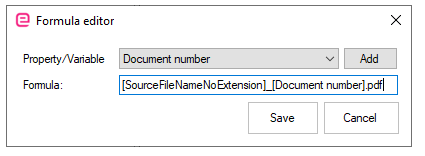
The Formula rule let you search for a specific file without the need to search matching files in a folder which makes it much faster.
-
The 'Custom regex rule' is for the more advanced user, who is comfortable with working with regex or regular expression.
If you have a good understanding of your file system and you know how to use 'Regular Expression', you can make more advanced rules in order to check for related files. Please find the manual for more information.