

In the manual and settings, the existence of a document is referred to as a ‘Has document'. The "Has document" logic property enables you to define a regex to check if any related files meet your criteria. It then adds a property to the product with the specified name, assigning a true or false value based on this check. This property can be displayed in the properties table in details or included as a column in the products list.
📘 Instructions
-
Open a document in Solid Edge>>open SolidConnect
-
Click on Load button. In the ‘Products'-tab, there should a properties like HasDraft, HasPdf or HasDxf etc. be visible. If not, make it visible:
-
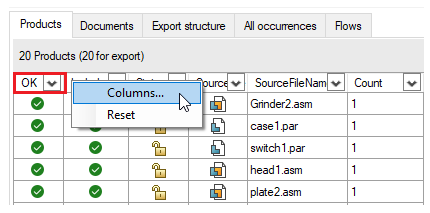
With your cursor on a cell in the title bar, Right click>>click on column
-
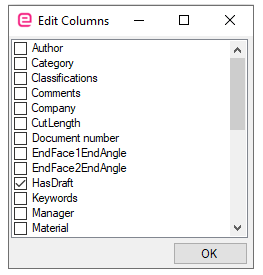
A ‘Edit Columns’ window appear. In this case, we are looking for the existence of draft documents. Therefore, put a check on HasDraft.
-
-
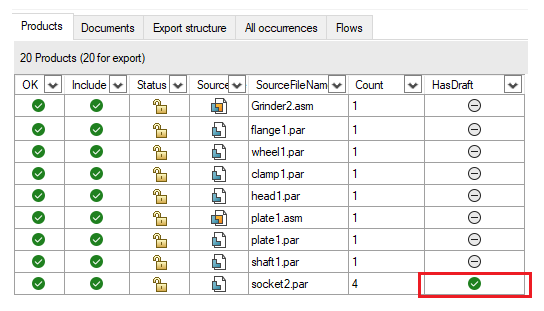
The example below shows that ‘socket2.par’ is the only document with a draft document
Highlight important information in a panel like this one. To edit this panel's color or style, select one of the options in the menu.