

🤔 How to change the naming formula in SolidConnect
Normally, the formula name in SolidEdge is used. In some cases, you want to use your own formula name in SolidConnect.
🌱 Solution
In this Solution, we will show how you can change the Formula name in the View pane.
-
Go to the SolidConnect Setup

-
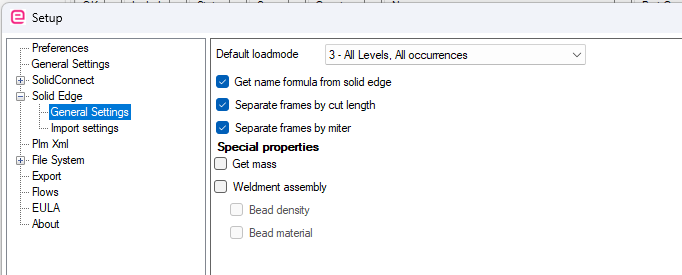
Go to Solid Edge >> General Settings
-
If you want a different formula as used in Solid Edge, uncheck the

-
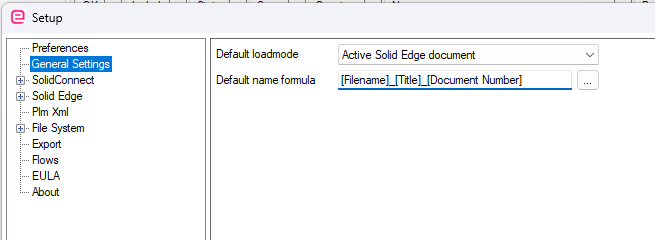
Next, go to General Settings, click on the … behind the Default name formula
-
Now you can make a selection of available properties and add them to the formula. Property names have [ ] symbols around them. All other text you add is fixed.
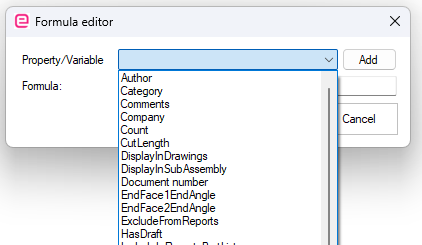
If values do not exist in the properties that are used, SolidConnect will show the property name instead.