

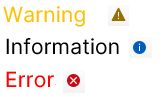
While using the tool, an error or warning will trigger a message box. However, not all warnings or errors will result in a pop-up. You can always check the logs, which record all major processes. The icon displays the highest logged severity (info/warning/error) of the most recent process. This resets before loading and exporting, so only warnings or errors from that process will appear.
Click the button to open or close the log within the home screen. The following type of information can be found in the log:
Click the button again to close the log window and return to the home screen.
Logs do not display messages from previous sessions after closing the application. However, all information is saved to a file. To view the log file's location, click the log button while holding the control key.