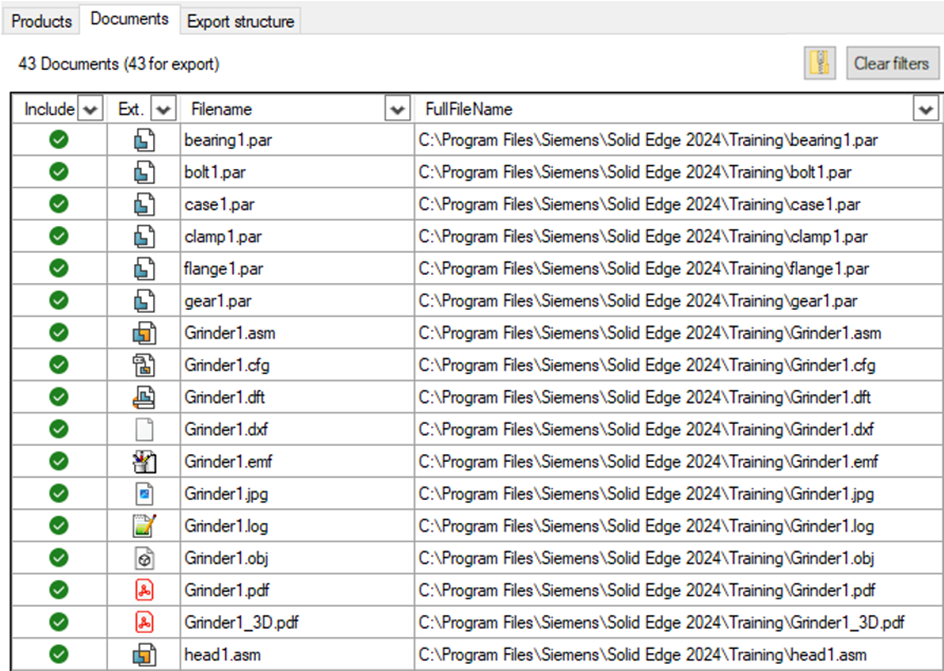
The documents tab shows all loaded/found documents. SolidConnect automatically searches for similarly named files in the same folder of the files it has loaded. You can use the right-click Context Menu for various actions such as opening a file.
At the top right you can press ‘Clear filters’ to quickly clear all active column filters (does not clear ordering) You can press the button with the zip icon to save a zip file of the included documents that are currently shown. Only included (green checkmark) documents are added to the zip, also only documents that are visible (because of filters) are added. Note that files that are open in another program might not be successfully added to the zip. For Solid Edge files, SolidConnect will ask to save and close them for you.
Change where and how SolidConnect searches for Documents