

The products table now supports editing properties of multiple files at once. To start you will need to click this button 
When in edit mode, you can edit any cell that is not greyed out. Rows can be greyed out when the file is set to released status or when they are marked as readonly in the filesystem. Columns can be greyed out when they do not have a Solid Edge import setting or when a logic property exists with that target property.
Changed cells are highlighted yellow and underlined
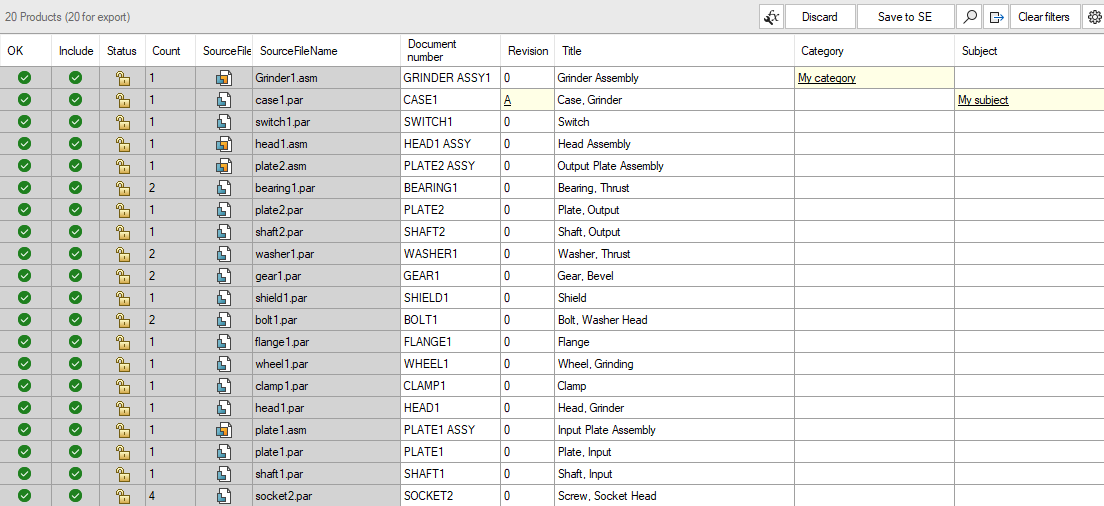
In edit mode you can use a few familiar shortcuts you can use to make editing easy:
-
ctrl-F to open a search and replace popup
-
ctrl-Z to undo changes
-
ctrl-C to copy cells and ctrl-V to paste cells (compatible with values copied from excel)
-
del to clear selected cells
The 
When you are done with your changes you can press Save to SE to save the changes to all files. If you do not want to make these changes you can press Discard.
Properties with Property Logic are prevented from being edited in SE edit mode or the Property Editor